Color in Marketing
Guidelines for using Dialpad's color palette in marketing and brand communications. Surfaces are light by default, with contrast from containers and shadows.
Light by default
Use Light Tan by default for pages, sections, heroes, and slides, with Tan as the secondary surface.
Create contrast with containers (white cards, Tan panels, Light Tan wells) and with drop shadows on floating UI. Don't use dark sections for contrast.
Headlines and body text are Deep Blue, and Purple is the accent. Purple and Ultra Dark Tan have contrast limits as text; see Text contrast. Color and texture come from the Resolve halftone.
#F8F7F6
Light Tan
Primary surface for every page, section, and slide. Also wells inside white cards.
#F2F0EE
Tan
Secondary surface for panels, hero media frames, and graphic panels. Also the 1px border on white cards.
#FFFFFF
White
Containers only: cards, banners, and floating UI. Never a page, section, or slide background.
#CEC8C4
Dark Tan
Neutral halftone dots and grounds, transformation grid tiles, and strong borders.
#81807F
Ultra Dark Tan
Large secondary text only. Below 4.5:1 for small text on light surfaces.
#10022C
Deep Blue
Headlines, body text, and graphic line art. As a fill, only in contained elements like the quote card.
#1D0155
Dark Purple
Primary button background. Cards on a dark surface, when one is requested.
#7C52FF
Purple
Accent for stat numerals, eyebrows on White, one accent node per graphic, halftone dots, and small UI details. Never headlines or body.
#A38FF9
Light Purple
Halftone dots in primary pairings.
#D3BCFF
Ultra Light Purple
Halftone grounds and dots, and tags. Eyebrows, links, and stats on a requested dark surface.
Surfaces and containers
Containers sit on the surface and step one value lighter, or one value darker for a panel, so they read without heavy outlines.
| Container | Fill | Edge | Radius | Shadow |
|---|---|---|---|---|
| Card | White | 1px Tan border | 16px (20px for banners and large boxes) | None |
| Panel | Tan | None | 20px | None |
| Inset / well | Light Tan | Optional 1px Tan | 8px | None |
| Halftone tile | The pairing's ground | None | 16px | None |
| Floating UI | White | None | 12px (8px for pills) | brand-ui |
Nest values in this order: Light Tan page → White container (or Tan panel) → Light Tan inset → White floating UI. Don't nest the same value directly inside itself without a border.
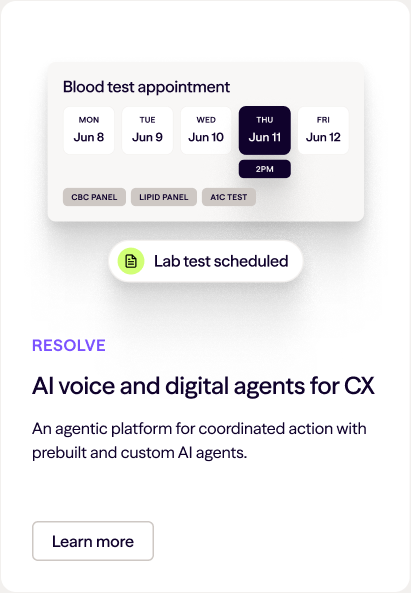
A feature card is a white card with a 1px Tan border, 16px radius, 32px padding, and a 24px gap. Its media area sits on top, followed by the eyebrow, title, body, and a small secondary button.
Elevation
Drop shadows are only for floating UI: simplified UI panels, status pills, call cards, and product screenshots. Cards, panels, and wells never get a shadow.
/* brand-ui: large floating UI and screenshots */
box-shadow:
  0 10px 22px rgba(0, 0, 0, 0.10),
  0 41px 41px rgba(0, 0, 0, 0.09),
  0 92px 55px rgba(0, 0, 0, 0.05),
  0 163px 65px rgba(0, 0, 0, 0.01);
Scale the offsets and blur with the element size, keeping the same opacities. Never use a colored glow. Backdrop blur is allowed only on floating UI over halftone, imagery, or a graphic. Never use it as a default card style.
Corner radius
Keep rounding modest. Nothing is fully rounded, so no capsule buttons, tags, or pills.
| Radius | Use |
|---|---|
| 20px (max) | Hero media frames, banners, large boxes, Tan panels, graphic panels, quote cards, image and video masks |
| 16px | Cards, halftone card tiles |
| 12px | Floating UI cards, video tiles, screenshots |
| 8px | Buttons, tags, chips, status pills, insets |
Text contrast
Deep Blue passes 4.5:1 on every light surface. Purple and Ultra Dark Tan don't, so limit them as text:
| Text color | White | Light Tan | Tan | Use |
|---|---|---|---|---|
Deep Blue #10022C | 19.7:1 | 18.4:1 | 17.3:1 | All text |
Purple #7C52FF | 4.7:1 | 4.4:1 | 4.1:1 | Stat numerals and other large text anywhere. Small eyebrows only on White; on Light Tan or Tan, set small eyebrows in Deep Blue. |
Ultra Dark Tan #81807F | 3.9:1 | 3.7:1 | 3.5:1 | Large secondary text only (24px+, or 18.66px+ bold). Keep small secondary text in Deep Blue. |
Deep Blue on a light page
On a light page, Deep Blue is the text color. As a fill, use it only in small contained elements: a customer quote card (20px radius, Light Tan Season VF Mix quote), a Deep Blue halftone frame, or small UI details. It's never a section, hero, or slide background. Don't use more than one dark element per viewport.
Dark surfaces
Light is always the default. Don't choose a dark surface for AI moments, technical topics, or drama. Use the dark system only when a dark background is explicitly requested, and apply it consistently across the requested surfaces.
| Role | Dark value |
|---|---|
| Page, section, or slide | Deep Blue #10022C |
| Panels and hero media frames | Black #04000C |
| Cards | Dark Purple #1D0155, no border, no shadow |
| Headlines and body text | Light Tan #F8F7F6 |
| Secondary text | Dark Tan #CEC8C4 |
| Eyebrows, links, and stat numerals | Ultra Light Purple #D3BCFF |
| Halftone | Deep Blue ground with Purple dots |
| Logo | Dialpad-Logo-2C-Dark |
Campaign and halftone colors
Berry #511E76, Magenta, Bright Red, and Gold are campaign colors. Never use them in evergreen UI, text, or surfaces. Their only evergreen use is as dots or grounds in an approved halftone pairing. The legacy gradient is not a surface or accent color.
Color in Marketing documentation last updated Tuesday, October 20, 2026