Hi everyone! We're happy to announce the release of Dialtone theming. You will now be able to set themes beyond just light mode and dark mode. For example you can now apply the design token based T-Mobile theme in both light mode and dark mode as well as the standard Dialpad theme. Semantic tokens will all have to be used correctly in your application for this to work.
This release will have a small breaking change involving the way you initialize Dialtone even if you don't intend to use themes. Please update your projects as mentioned below. The readme on GitHub has also been updated with the new steps.
Breaking changes
Dialtone no longer includes the tokens for the default theme in @dialpad/dialtone/css. This is so themes can be loaded independently. If you do not care to use themes and just want the default light theme you can instead import @dialpad/dialtone/css-default-theme which does include the tokens for the default theme in a single file.
If you do want to use themes you must now import a theme from Dialtone, and apply it like so during initialization of Dialtone:
import "@dialpad/dialtone/css";
import { setTheme } from '@dialpad/dialtone/themes/config';
import DpLight from '@dialpad/dialtone/themes/dp-light';
setTheme(DpLight);
NOTE: if you update to the latest version of Dialtone and do not make the changes mentioned above, no styles will be rendered.
Available themes are as follows:
- dp-light - Dialpad Light
- dp-dark - Dialpad Dark
- tmo-light - T-Mobile Light
- tmo-dark - T-Mobile Dark
- expressive-light - Marketing Light
- expressive-dark - Marketing Dark
- expressive-sm-light - Marketing Small Light
- expressive-sm-dark - Marketing Small Dark
It's also possible to apply themes without using javascript by importing the theme css files directly. For this please see the README.md on GitHub
Tokens page updates
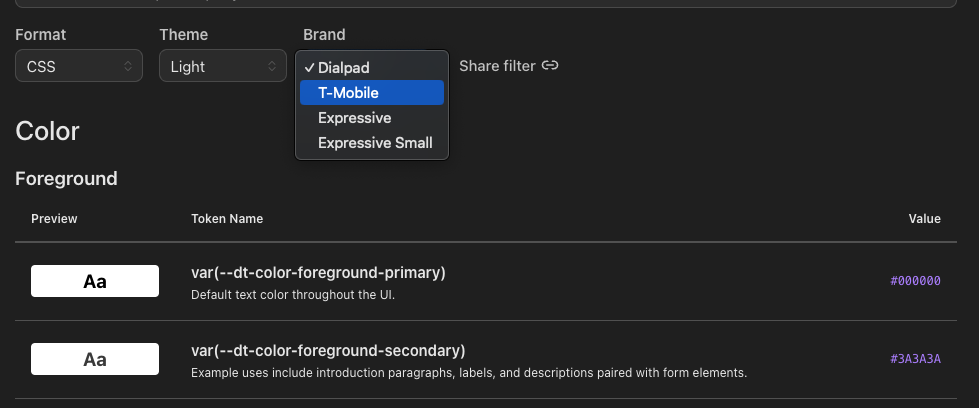
Our tokens page has also been updated to reflect this change. You'll notice there is a new filter dropdown for "brand" which will show you the tokens for each brand.
Thanks everyone and have a great day! Dialtone Team 💜