👋 Hey there, we're excited to share some updates with you:
We redesigned our Tokens Page to include a new search feature and the ability to copy tokens easily.
Introducing the Empty State Component, a new component that can be used to display empty states in various scenarios.
Redesign of the tokens page
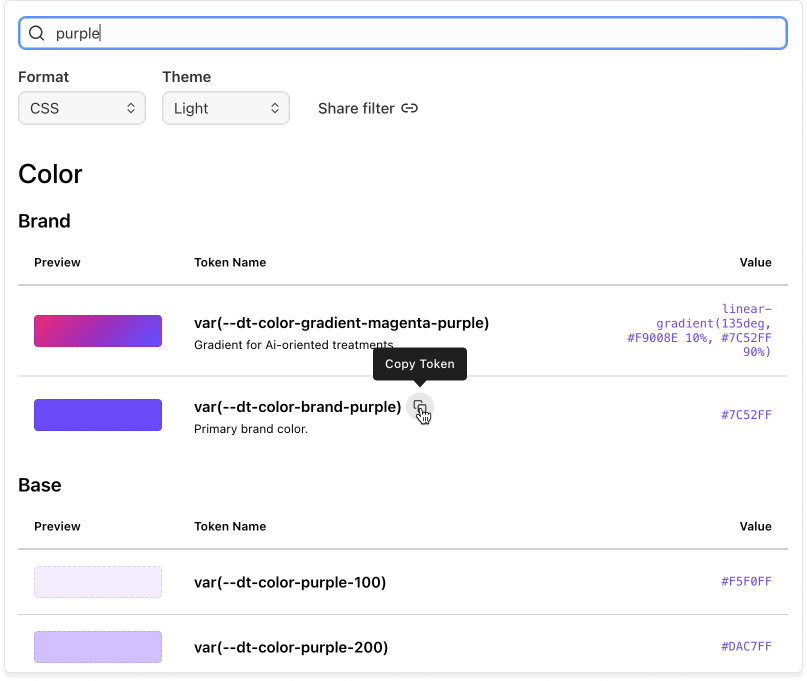
Improved token search
You can now search for tokens by name, category, or value. Once you find the desired token, simply click the copy button to copy it in the selected format.
Examples for every token
We have added examples for all the tokens to provide a better understanding of their usage and results.
Sidebar with categories and subcategories
Explore tokens by category and subcategory using the new sidebar on the right. The categories will be filtered as you search.
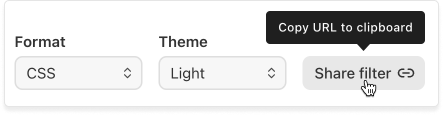
Change theme, format, and share the filter
Change theme and format in the topbar. Available formats are: CSS, Android and iOS. Change the theme to see how the token would look in light and dark mode. Use the "Share filter" button to generate a URL with the applied search and filters.
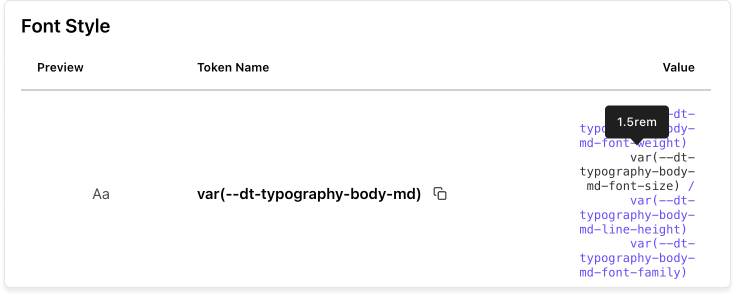
Hover to see the values for composition tokens
Hover over a composition token to reveal its values.
Empty state component
The Empty State Component is now available for various scenarios when no data is available to display.
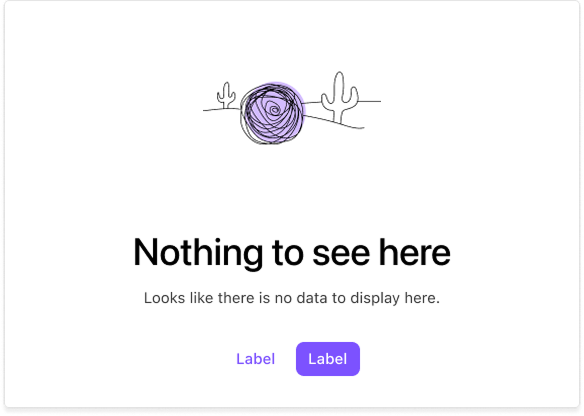
Examples
- A "No Results" page
- An empty call history
- New feature coming out
You can find all the variants and examples on the Empty State Component Page.
Got questions?
We're here to help! Reach out to us in the #dialtone channel for any assistance you need.
Thanks for your patience and understanding, Dialtone Team 💜