TL;DR:
- Improved dialtone-vue bundle size.
- Added tree-shaking support for dialtone-vue and dialtone icons.
- Updated mono-package exports (migration guide included)
- Now it's possible to use icons from @dialpad/dialtone-icons directly
👋 Hey there, we're excited to share some updates regarding the bundle size of dialtone-vue, how to migrate to latest dialtone version as the exports changed and how can you use @dialpad/dialtone-icons library to use isolated icons to avoid bundling a bunch of icons you're not using.
Dialtone-vue bundle size
We've improved the dialtone-vue bundle size by externalizing all the dependencies that are not part of the library.
Before
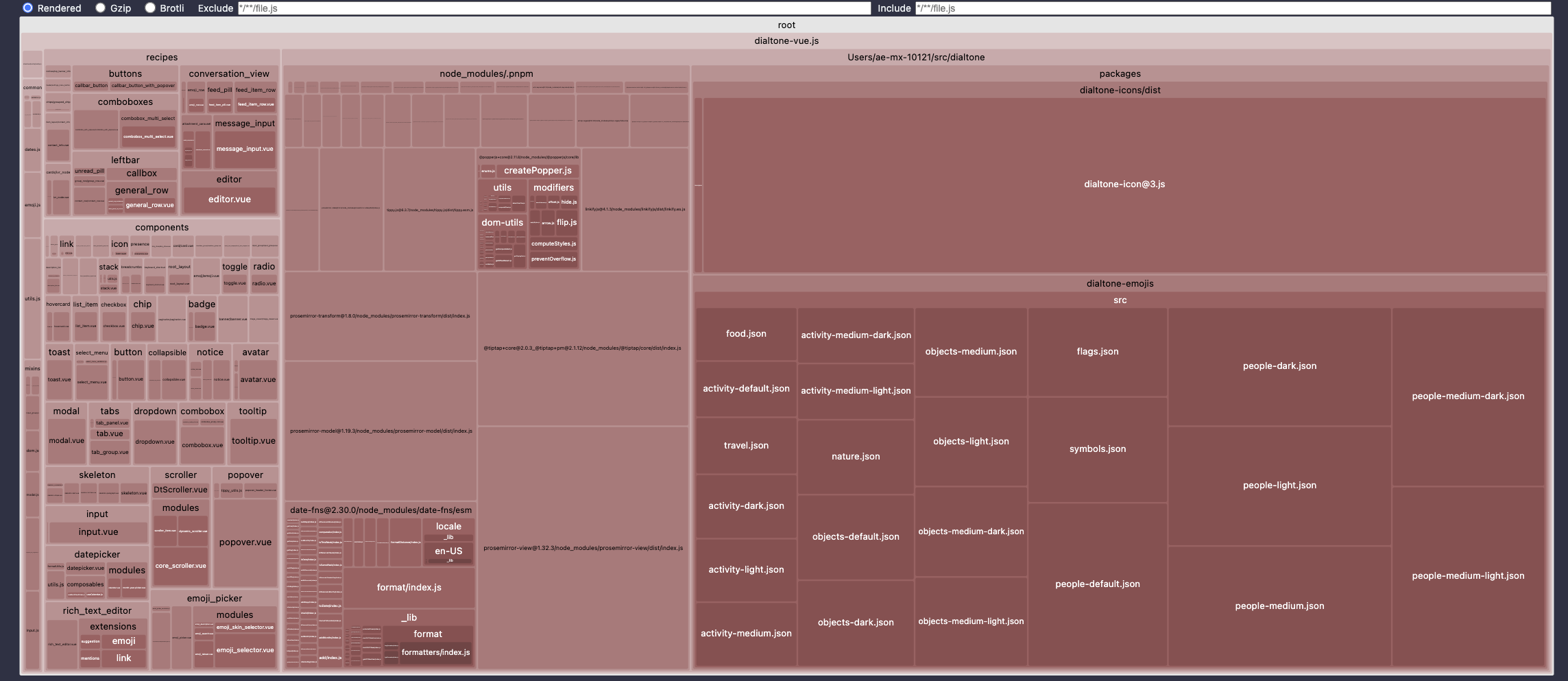
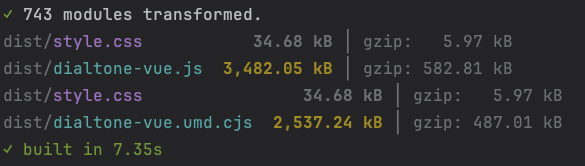
After (without tree shaking)
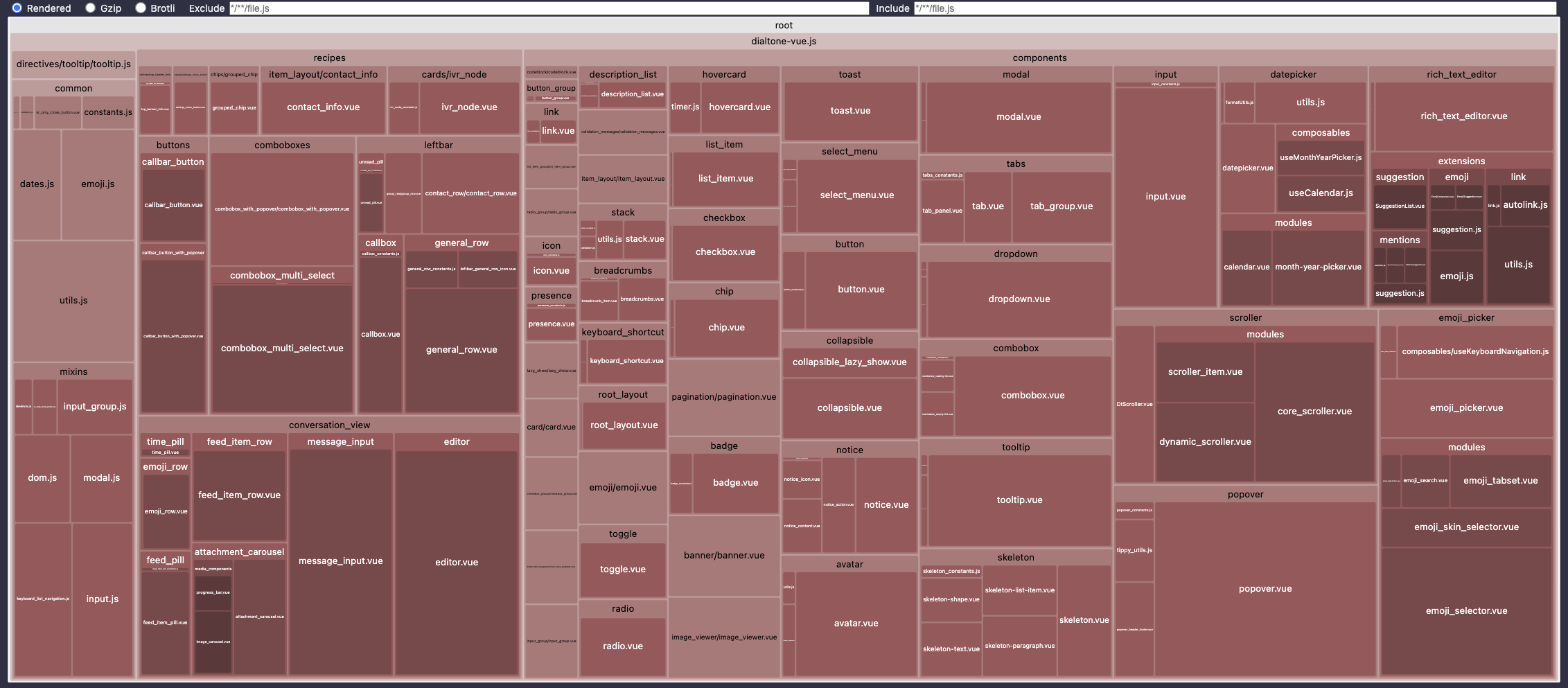
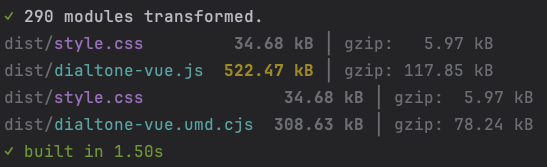
After (with tree shaking)
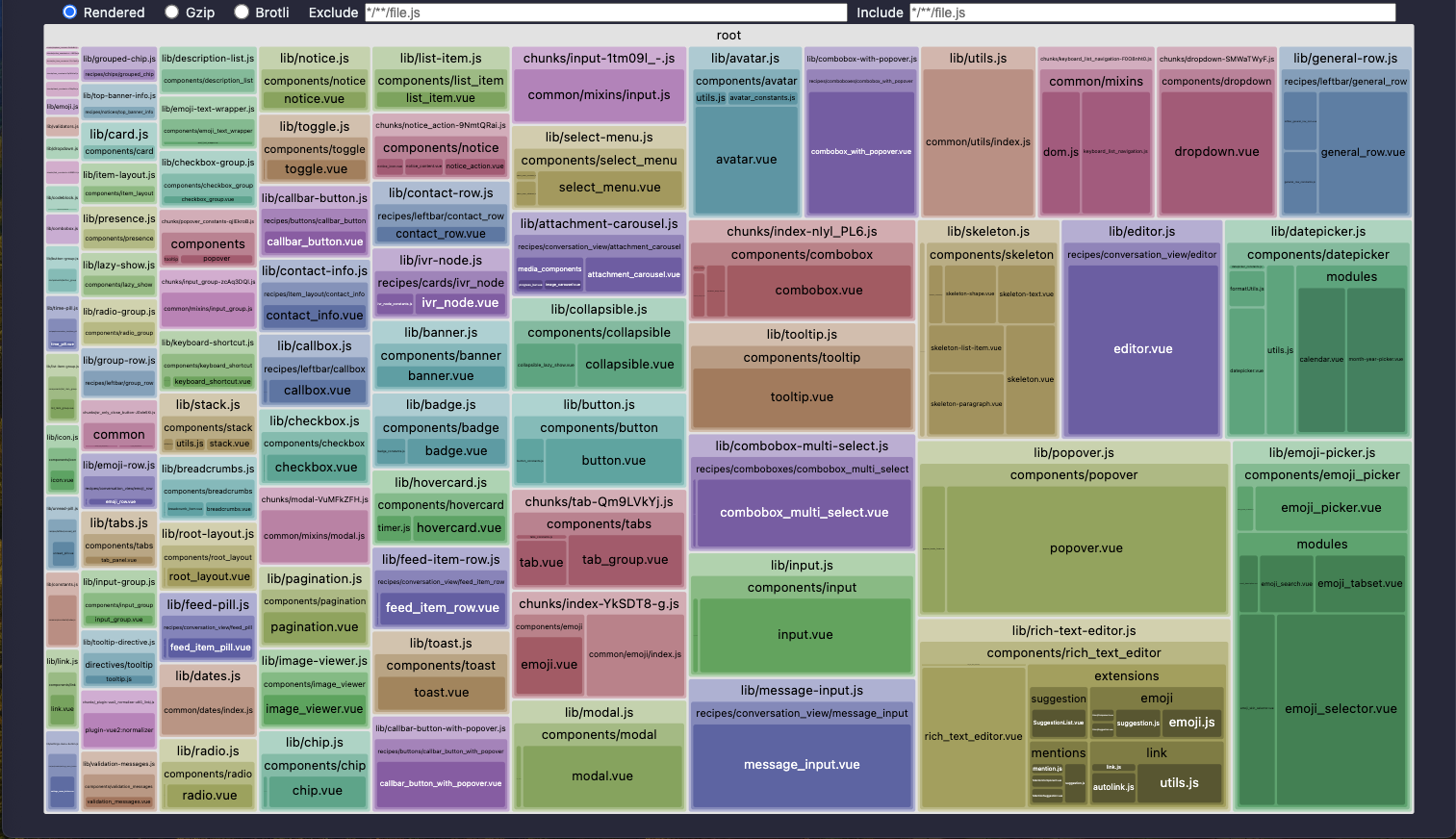
✓ 281 modules transformed.
dist/style.css                                    34.04 kB │ gzip: 5.80 kB
dist/chunks/dropdown_constants-EUcDxBrX.js         0.14 kB │ gzip: 0.15 kB │ map:  0.41 kB
dist/lib/emoji.js                                  0.35 kB │ gzip: 0.24 kB │ map:  0.10 kB
...
✓ built in 2.15s
Migration to dialtone >=9.27.1
With the recent improvements, there are two ways of importing component from dialtone.
Directly from the bundle.
- Pros
- Improved code readability as you can include multiple components on a single line.
- Treeshake works on vite+rollup with default config and can be improved with small changes to your rollup config.
- Cons
- Doesn't treeshake the library if you're using webpack.
import { DtButton, DtInput } from '@dialpad/dialtone/vue2'
Importing the individual component.
- Pros
- Treeshake works on most bundlers without additional config as you're importing just what you need by default.
- Cons
- Makes the code a bit less readable and harder to maintain as you need to import every component individually.
import { DtButton } from '@dialpad/dialtone/vue2/lib/button'
import { DtInput } from '@dialpad/dialtone/vue2/lib/input'
Note: You can use unplugin-auto-import to import the components automatically to avoid having to import them manually.
To migrate, replace any instances of the old imports with the corresponding new imports, please refer to the examples table below for clarity.
| Previous 👎 | New 👍 | Enable Tree shaking (best) ✨ |
|---|---|---|
import { DtEmoji } from '@dialpad/dialtone/vue2/emoji' | import { DtEmoji } from '@dialpad/dialtone/vue2' | import { DtEmoji } from '@dialpad/dialtone/vue2/lib/emoji.js' |
import { DtMessageInput } from '@dialpad/dialtone/vue2/message_input' | import { DtMessageInput } from '@dialpad/dialtone/vue2' | import { DtMessageInput } from '@dialpad/dialtone/vue2/lib/message-input.js' |
import { DtTooltipDirective } from '@dialpad/dialtone/vue2/directives' | import { DtTooltipDirective } from '@dialpad/dialtone/vue2' | import { DtTooltipDirective } from '@dialpad/dialtone/vue2/lib/tooltip-directive.js' |
import SpotBlankSpace from '@dialpad/dialtone/dist/css/vue/spot/SpotBlankSpace' | import SpotBlankSpace from '@dialpad/dialtone/css/vue/spot/SpotBlankSpace.vue'; | - |
import { DtIcon } from '@dialpad/dialtone/vue2' | import { DtIcon } from '@dialpad/dialtone/vue2/icon'; | import { DtIconAccessibility } from '@dialpad/dialtone-icons'; |
Using dialtone-icons
Backwards-compatible support for DtIcon will remain for the near-term. However, we encourage you to begin updating your projects to the new dialtone-icons usage for a seamless and better experience.
Previously, to use an icon on your app you had to do:
import { DtIcon } from '@dialpad/dialtone'

<dt-icon name="accessibility" size="300" />
This is going to change going forward to enable better tree shaking capabilities and a possible lazy-loading in the future to improve even more the load of your app.
As of dialtone components, there's also two ways of importing icons, with the same caveats and advantages as importing components:
import { DtIconAccessibility } from '@dialpad/dialtone-icons/vue2'
import { DtIconApple } from '@dialpad/dialtone-icons/vue2/apple'
use it as follows:
<dt-icon-accessibility size="300" />
<dt-icon-apple size="600" />
This way, only the icons you import are going to be bundled on your package, improving bundle size, build and runtime performance.
Got questions?
For more detailed information, read our README.md.
We're here to help! Reach out us in the #dialtone channel for any assistance you need.
Thanks for your patience and understanding, Dialtone Team 💜