TL;DR: We're rolling out an important update to Dialtone Typography Styles based on an adjustment to our Design Tokens naming convention.
👋 Hey there, we're excited to share some updates regarding our Typography Tokens. This change brings clarity and consistency to our design system, making your workflow smoother than ever. Let's jump right in:
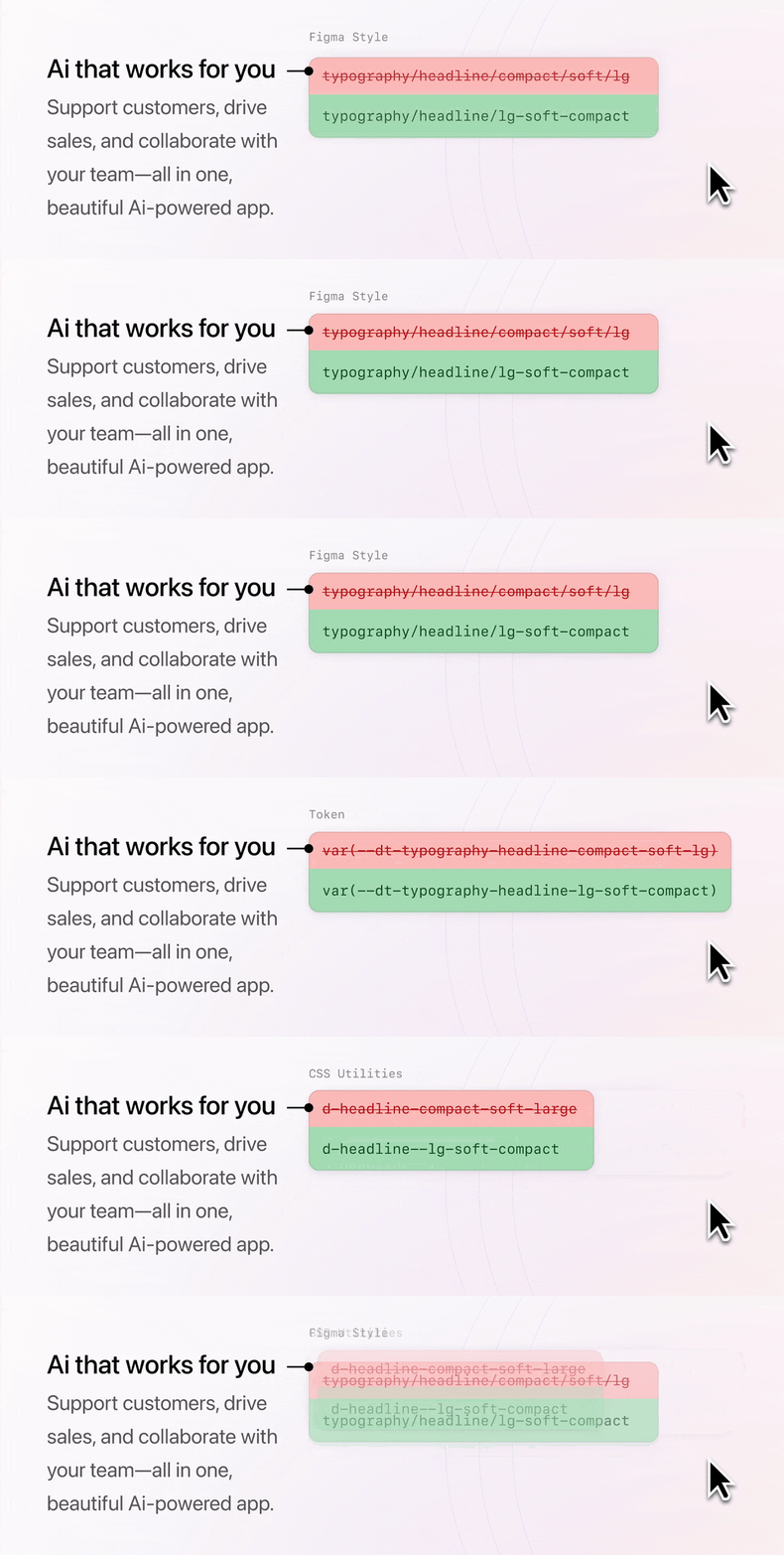
The Change
We've revamped our Typography Tokens naming convention to ensure consistency across Figma styles, CSS Utilities, and CSS Variables. This update simplifies how we reference and utilize our design elements, improving efficiency for both designers and engineers.
Why the Update?
Our previous naming convention, while functional, lacked uniformity and clarity. In particular, its previous naming convention caused unnecessary complexity and lacked a predictable naming pattern. By refining the naming structure, we've making it easier for you to locate and utilize the styles you need in HTML, Vue, CSS, Figma deliverables, or otherwise.
Key Advantages:
Simplified CSS usage, now all types are named with this structure:
d-{category}--{size}-{strength*}-{density*}, e.g.d-body--sm-compactAligned Across Platforms, Figma styles more strictly match the naming convention of CSS Utilities and CSS Variables, making integration smoother and collaboration better.
It's important to note that this update doesn’t alter the appearance of any styles but rather enhances how we name and utilize them.
How to Update
Backwards-compatible support for the previous CSS Utilities will remain for the near-term. However, we encourage you to begin updating your projects to the new convention for a seamless experience.
Using Token / CSS Variable
var(--dt-typography-body-base) -> var(--dt-typography-body-md)
Update any references of var(--dt-typography...) with the updated equivalents. Refer to the mapping table below for clarity.
Using CSS Utilities
class="d-label-plain-small" -> class="d-label--sm-plain"
Replace any instances of the old naming convention with the corresponding new names. Refer to the mapping table below for clarity.
| Previous 👎 | New 👍 |
|---|---|
d-headline-eyebrow | d-headline--eyebrow |
d-headline-small | d-headline--sm |
d-headline-soft-small | d-headline--sm-soft |
d-headline-compact-small | d-headline--sm-compact |
d-headline-compact-soft-small | d-headline--sm-soft-compact |
d-headline-medium | d-headline--md |
d-headline-compact-medium | d-headline--md-compact |
d-headline-large | d-headline--lg |
d-headline-compact-large | d-headline--lg-compact |
d-headline-extra-large | d-headline--xl |
d-headline-extra-extra-large | d-headline--xxl |
d-body-base | d-body--md |
d-body-compact | d-body--md-compact |
d-body-small | d-body--sm |
d-body-compact-small | d-body--sm-compact |
d-label-base | d-label--md |
d-label-compact | d-label--md-compact |
d-label-small | d-label--sm |
d-label-plain | d-label--md-plain |
d-label-compact-plain | d-label--md-plain-compact |
d-label-compact-small | d-label--sm-compact |
d-label-plain-small | d-label--sm-plain |
d-label-compact-plain-small | d-label--sm-plain-compact |
d-helper-base | d-helper--md |
d-helper-small | d-helper--sm |
d-code-base | d-code--md |
d-code-small | d-code--sm |
When inspecting a Figma File
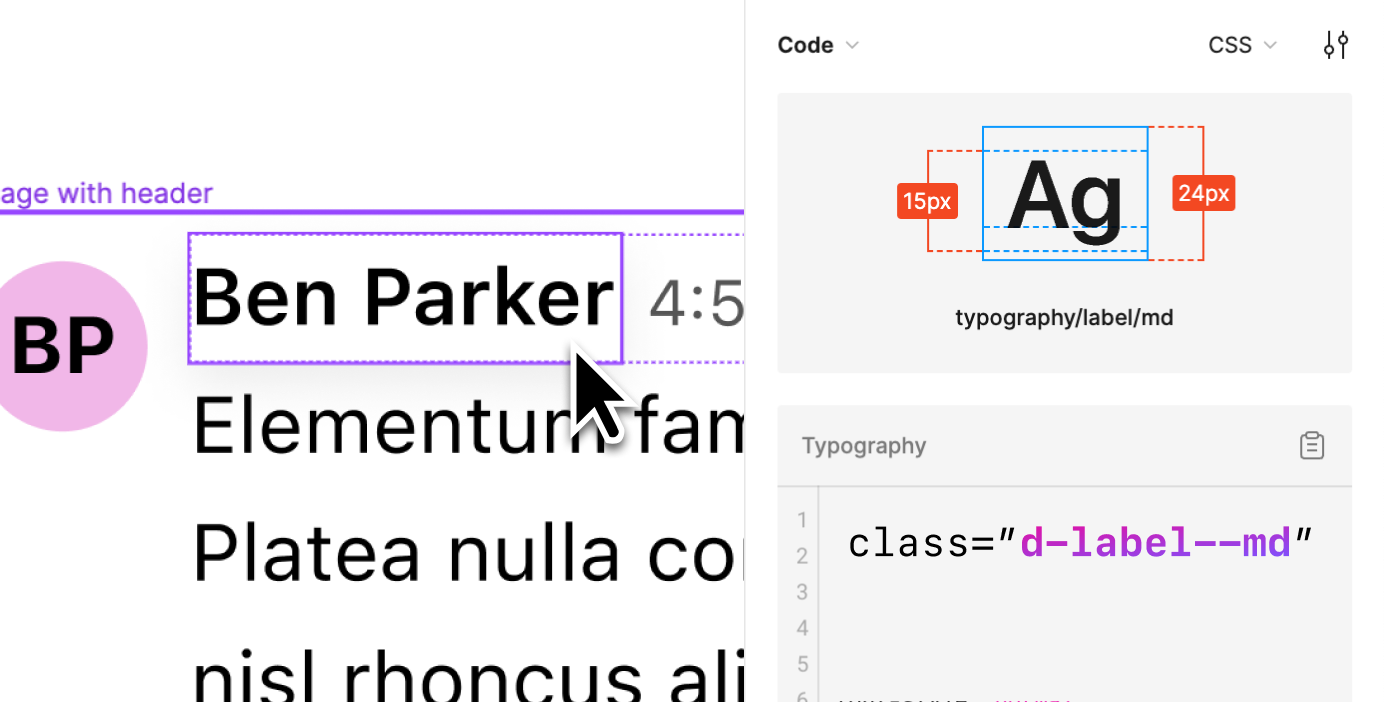
When working with Figma for VS Code or using Dev Mode within the Figma File, you'll notice the new naming convention displayed with "/" in the elements. Simply replace "/" with "-" when referencing them.
e.g. In Figma typography/label/md translates to
- CSS Var
var(--dt-typography-label-md) - CSS Utility
d-label--md
For Designers
You might notice prompts to update the library in your files. Fear not – this update won't alter any styles. We've even added searchable descriptions to each style to improve findability. For example, searching for medium will find text styles like typography/body/md and typography/headline/md. Plus, we've introduced compact versions for xl and xxl headlines to enhance versatility.
Not Sure How It Affects Your Figma File?
No worries! Create a branch in your file, update the library in "All Pages," and take a closer look at the changes. Rest assured, this update primarily focuses on naming conventions and won't bring significant visual alterations.
Got questions?
For more detailed information, visit our Dialtone Typography docs.
We're here to help! Reach out us in the #dialtone channel for any assistance you need.
Thanks for your patience and understanding, Dialtone Team 💜