
At a glance
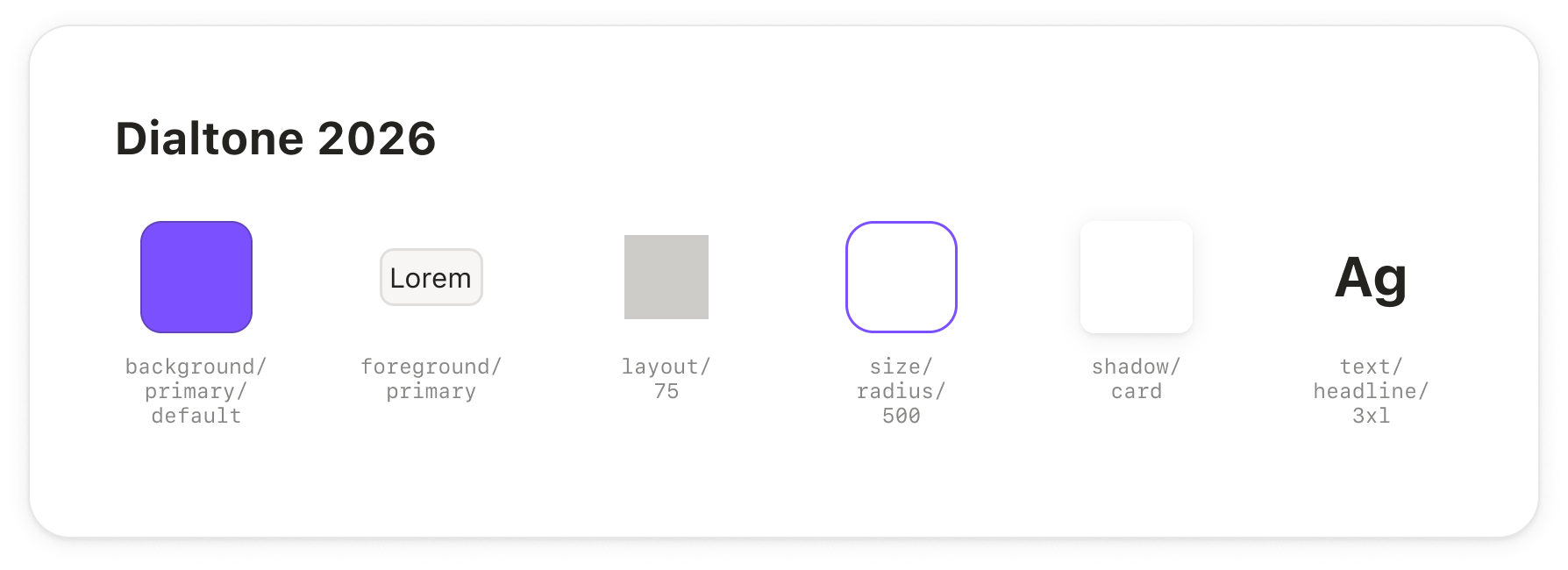
- Dialtone's design tokens are now in Figma as variables, including light and dark modes and all materials.
- We can now work on Dialtone-compliant designs from the start: every color, spacing, or size value picked in Figma is a Dialtone token, the same one used in code.
- Variables are the first step: Dialtone 10 styles and components aren't available in Figma yet, but both will be built on top of these variables.
- They're also the groundwork for prototyping. Every variable keeps its Dialtone code name, so prototypes built from Figma designs start out using Dialtone tokens.
- Code is the source of truth. When a token changes in Dialtone, the Figma library is updated to match, and the change reaches your files once the library is published.
Why Figma fell behind
Figma hasn't kept up with Dialtone for a while. Partly, that's because our approach shifted (away from Figma and toward code-based prototypes). It was also a matter of resourcing: keeping everything in sync took a lot of manual work.
By the time Dialtone 10 (previously known as Dialtone Next) landed, the discrepancies between the actual design system and the Figma library (still based on Dialtone 9) had become too obvious to ignore. Designers had been working on top of an outdated framework, both visually (e.g., rounded corners, typography) and conceptually (e.g., the approach to spacing and layout). This led to significant mismatches between what was designed and what was built, and also made it unnecessarily complicated to generate Dialtone-compliant code (prototypes or actual product code) from a Figma starting point.
Over time, we came to see that Figma still has a place in our workflows, even in a world where AI-assisted prototyping is a baseline expectation. It's where we explore, prototype, document edge cases, and hand off to engineering. It's also often a starting point for code-based prototypes. That role is important enough to justify the time we're investing in keeping our Figma libraries up to date.
Prototypes that start in Dialtone
Keeping Figma accurate is half the point. The other half is making sure Figma isn't just compatible with Dialtone-compliant, code-based prototypes, but one of the best ways to start one. For that, Dialtone and our Figma libraries need to speak the same language.
Every Figma variable is now annotated with its Dialtone name. Open Dev Mode and you'll see it: color/surface/primary shows up as var(--dt-color-surface-primary), and spacing/200 as var(--dt-spacing-200).
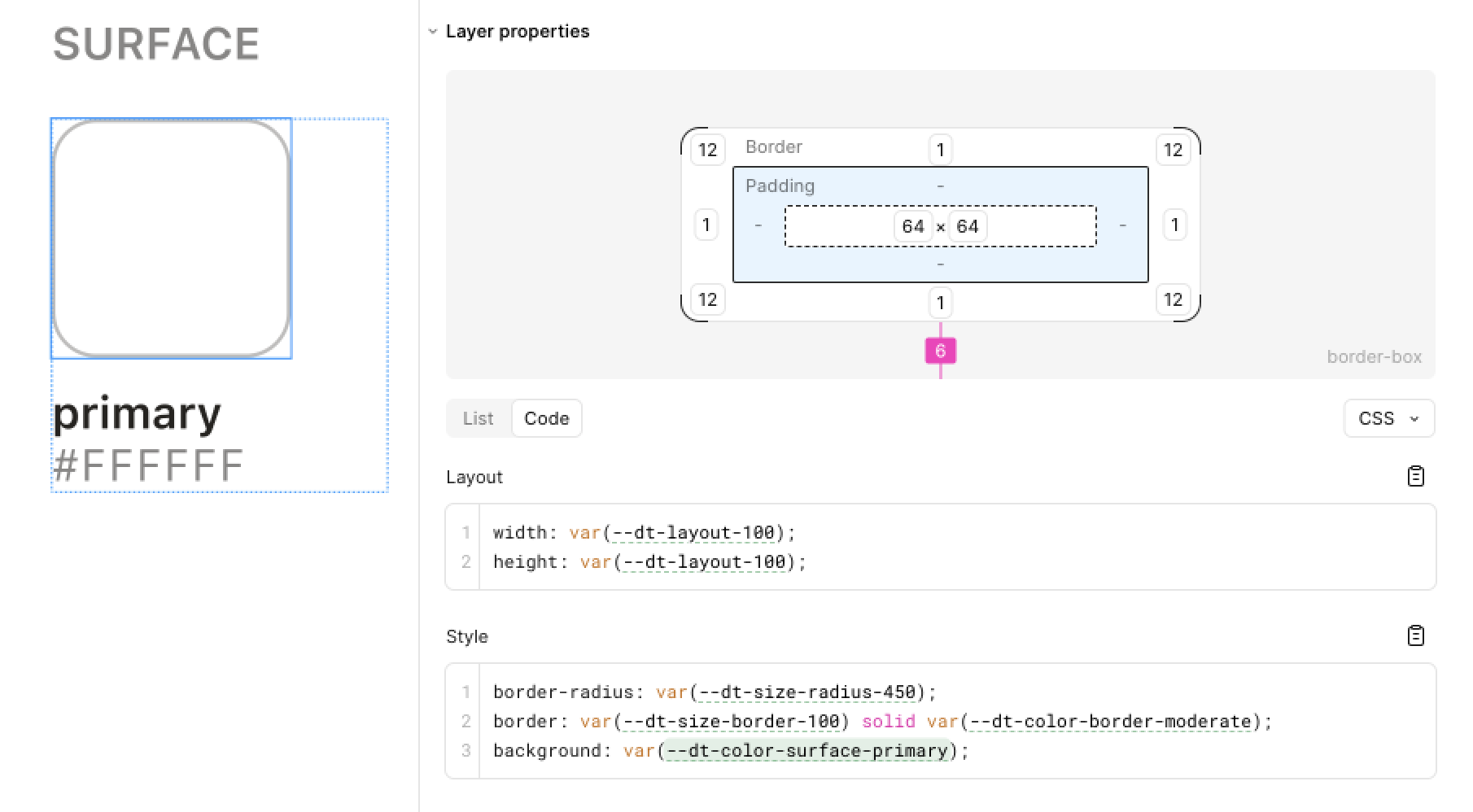
Alongside this, we're building AI agent skills to help designers prototype, and keeping those prototypes Dialtone-compliant is one of their main jobs. This sync lays the foundation for that. When an agent reads a Figma frame built with these variables, it gets Dialtone tokens rather than raw values.
Why variables come first, and what's next
For now, this release covers variables only; Dialtone 10 styles and components aren't available in Figma yet.
Variables are the simplest to sync, since Figma's API supports them directly. But the main reason we started with them is that everything else is built on top of them.
Styles (text, shadows, and gradients) will come next, bound to variables. Text styles will use the typography variables (e.g., font size and weight), shadows will combine number and color variables, and gradients will use color variables for their stops.
We'll then move on to components. This will be much harder, especially as we want to automate it: we don't want to end up, once again, with obvious gaps between the Dialtone source and Figma. Automation prevents exactly that: once a component gets updated, we can re-run the sync, ensuring Figma also gets the update. As with styles, every component will be bound to variables.
What's included
- All the variables you should be using, including layout, spacing, foreground, surface, border colors and widths, corner radius, and typography (e.g., font family, size, and weight).
- Light and dark are native Figma modes of the same collection, so you can switch modes per frame (and instantly see what a design looks like in light and dark).
- Dialtone's materials (Steel, Graphite, Iron, Amethyst, and Jade) are included too, as extended collections. As with modes, you can switch them per frame.
- Variables are scoped, which means they only show up where it makes sense: setting a width or height shows layout variables, setting a gap shows spacing variables, and setting a fill shows colors.
Notice the variables offered by each of the dropdowns: dimensions get layout; padding, margin, and gaps get spacing; background colors get surface; etc.
The same frame switching between light and dark mode, and between materials.
You'll find the variables in the Dialtone 10 Tokens library.
Our (technical) approach
The core technical decision was to make code the source of truth, syncing in one direction only: from code to Figma. The same token files we use to build CSS, Android, and iOS are now used to build Figma variables too. This reduces the risk of drift between Figma, Dialtone, and product code. The consequence is that we can no longer sync from Figma to code, a worthwhile trade-off that makes everything easier to reason about.
The new sync scripts run Dialtone's tokens through the same Style Dictionary config as the CSS. A policy layer then decides what gets excluded, hidden, or scoped (e.g., the stroke color picker offers border colors rather than every color in the system). Finally, the result is compared with the variables already in the Figma file, and only the difference is sent through Figma's Variables API.
Materials are written as Figma extended collections: each one inherits everything from the main collection and only overrides what the material changes (its black ramp, plus the values that can't simply follow an alias).
The sync runs as a GitHub workflow whenever a pull request that changes tokens is merged. Changes can also be previewed during review: commenting /sync-tokens on a pull request writes its variables to a separate preview file.
Limitations
Figma variables can't represent everything Dialtone tokens can.
One of the main differences is line height. Dialtone uses unitless line heights (e.g., 1.4, a multiple of the font size), but Figma reads any variable bound to a line height as pixels, so 1.4 becomes 1.4px. For now, use Auto as the line height. Text styles are coming soon and will carry the correct line height. In the future, we might add a DtText component to Figma, bringing Figma even closer to idiomatic Dialtone code.
There are also a few smaller gaps:
- Dialtone has moved to OKLCH as the color model, which Figma variables can't store (they're sRGB). This means you'll see hex color codes in Figma, converted from their OKLCH values. OKLCH can also define colors beyond what sRGB can display, so some colors (mostly coral and teal shades) might look different in Figma than in code.
- Tokens that lighten, darken, or mix other tokens have to be defined in Figma as fixed values; they lose the link to their original token. Opacity is the exception: a token defined as another token plus an opacity keeps its link in Figma.